Introduction
Spndle Requisitions allows you to restrict the items that can be added to a requisition by a number of means, by Nominal account, by Product, by Service or by Supplier. The process is similar for each restriction type.
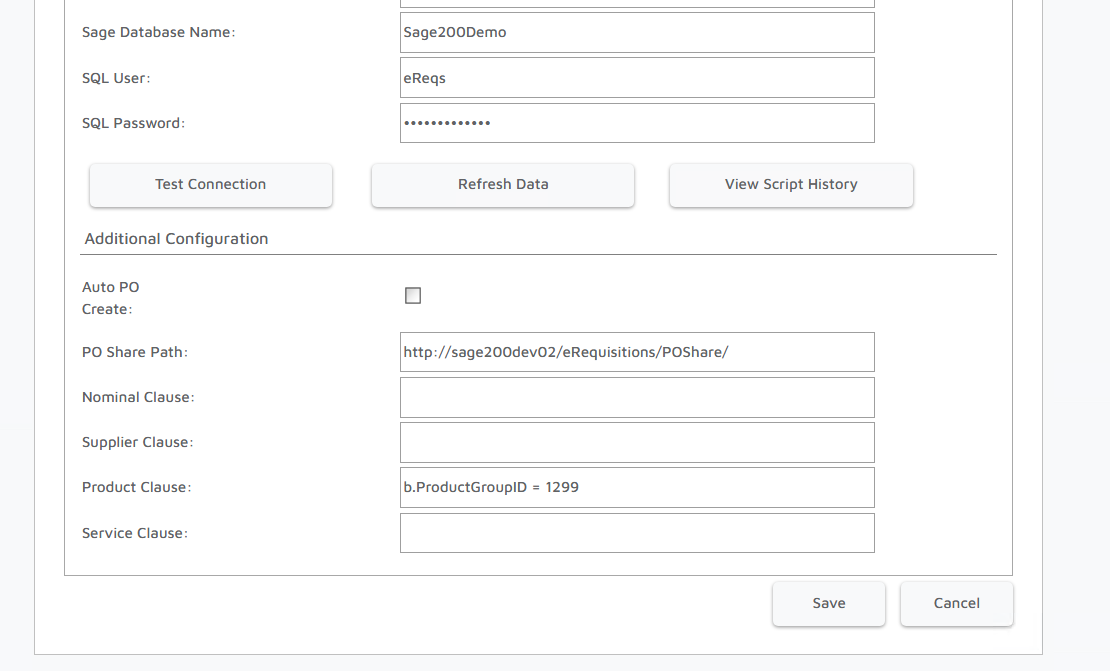
These clauses can be updated in the Company Configuration panel, in the Configuration tab:
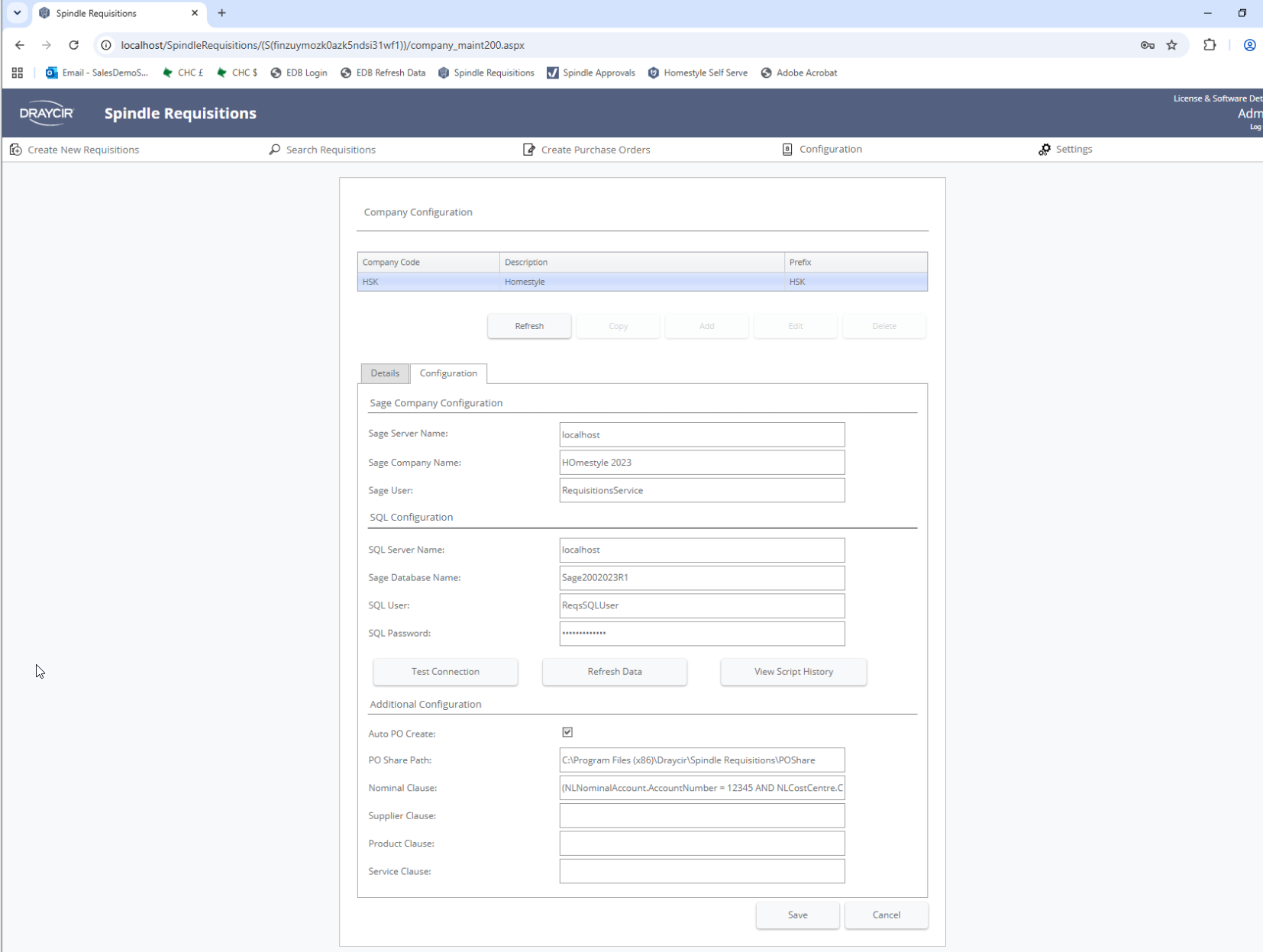
Product Clause
The product clause calls upon the below tables
dbo.WarehouseItem AS a
dbo.StockItem AS b - PRIMARY TABLE
dbo.StockItemSupplier AS c
dbo.Warehouse AS d
dbo.PLSupplierAccount AS e
There is a ProductGroupID column in StockItem as a foreign key.
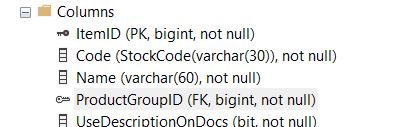
Which will connect to the corresponding primary key in dbo.ProductGroup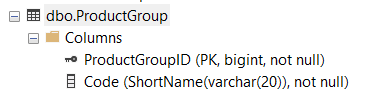
So you can filter at present provided you know the ProductGroupID
You can see here that I apply a filter based on ProductGroupID 1299 which applies to these products:
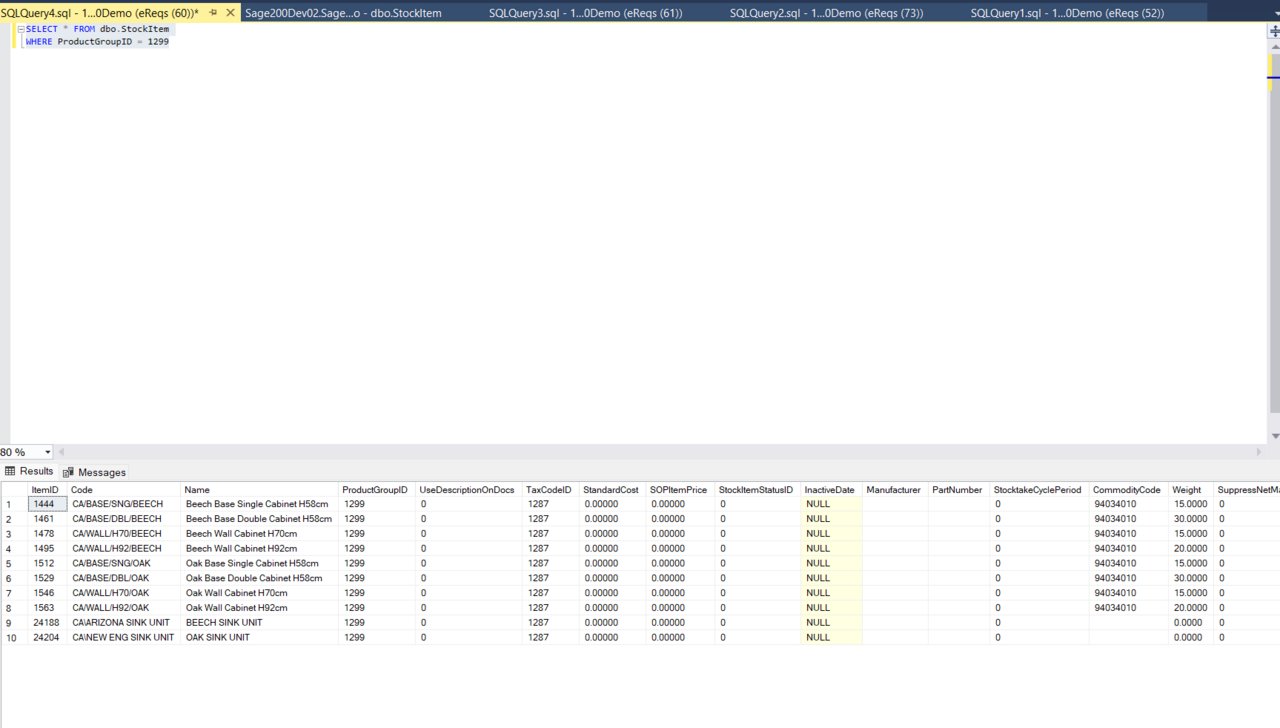
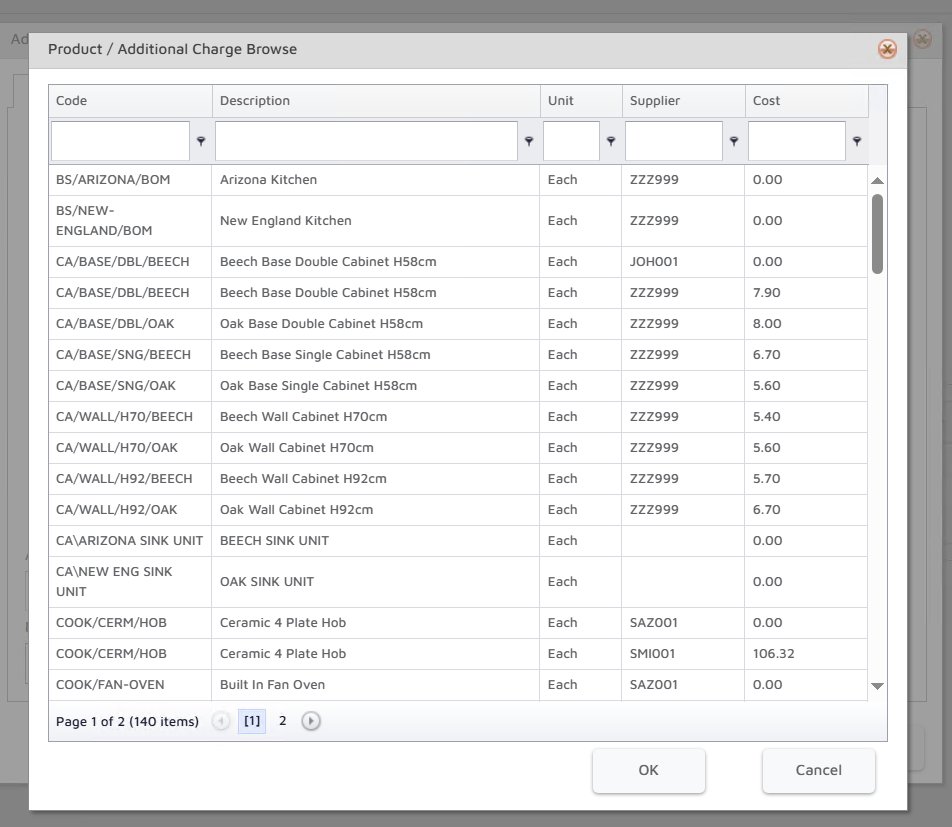
Without the clause, the same look up returns everything else 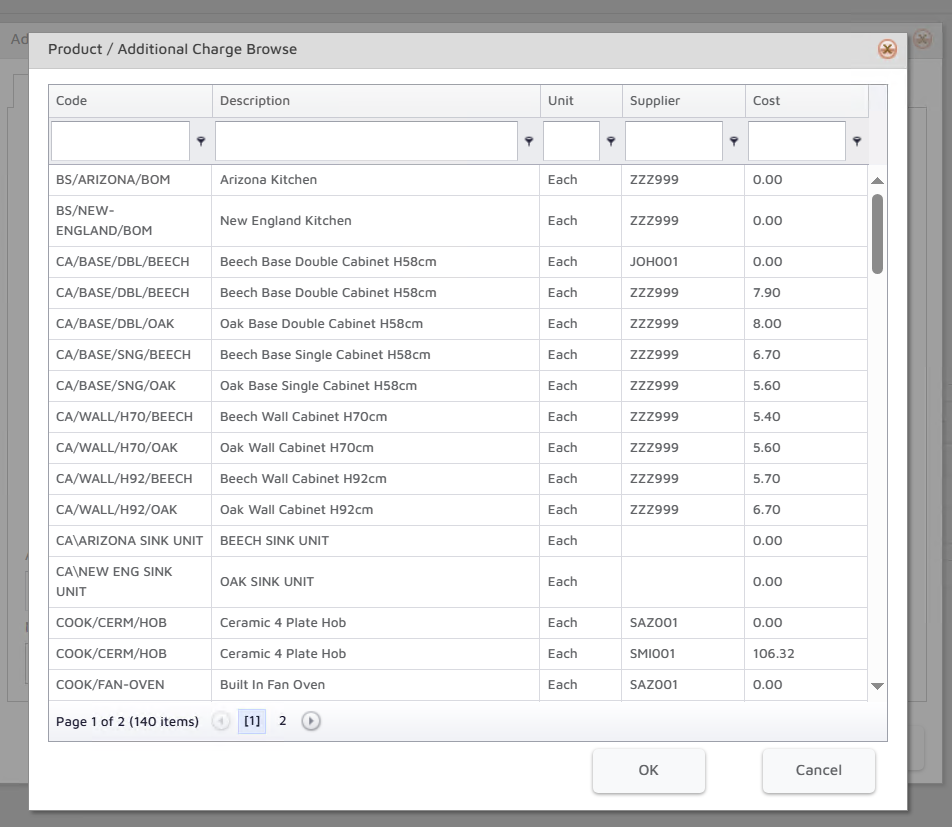 However you won't currently be able to filter on the product group code name or description, you'd have to know the ProductGroupID.
Some other non-Product Group related clauses could be:
Example clauses:
b.code NOT LIKE '%ACS%'
b.ItemId != 1444
So the lower case letter corresponds to one of the letters here (a - e)
dbo.WarehouseItem AS a
dbo.StockItem AS b - PRIMARY TABLE
dbo.StockItemSupplier AS c
dbo.Warehouse AS d
dbo.PLSupplierAccount AS e
And then you would specify your desired column and criteria. The ProductGroupID is a key in the StockItem table (i.e. b). So you would reference b.ProductGroupID = You can also do the inverse and include everything except a particular value. So in that case you'd do b.ProductGroupID !=
You can also filter on multiple specific IDs, like this b.ProductGroupID != 1299 AND b.ProductGroupID != 1300 (which would remove all products that are on those two codes) Or this b.ProductGroupID = 1299 OR b.ProductGroupID = 1300 (which would do the opposite and only show products on those two codes)
Nominal Clause
This is modified in the same way as above, however the tables used are as follows:
dbo.NLNominalAccount - PRIMARY TABLE
dbo.NLAccountNumberCostCentre
dbo.NLAccountNumber
dbo.NLCostCentre
dbo.NLDepartment
dbo.NLAccountType
Example Nominal clauses might be
NLNominalAccount.AccountName NOT LIKE '%OTHERDEBTORS%'
NLNominalAccount.AccountNumber != 08104
NLCostCentre.NLCostCentreID != 64272
NLCostCentre.Code NOT LIKE '%INS%'
Supplier Clause
This is used when picking the supplier on a requisition.
It makes use of the below tables:
dbo.PLSupplierAccount AS a - PRIMARY TABLE
dbo.PLSupplierLocation AS b
dbo.PLSupplierContact AS c
dbo.SYSCurrency AS g
dbo.PLSupplierContactValue AS x
dbo.PLSupplierContactRole AS y
dbo.SYSTraderContactRole AS z
Example clauses:
a.SupplierAccountNumber NOT LIKE 'ATL001'
a.CreditLimit > 20000
Service Clause
Uses the below tables:
dbo.WarehouseItem AS a
dbo.StockItem AS b - PRIMARY TABLE
dbo.StockItemSupplier AS c
dbo.Warehouse AS d
dbo.PLSupplierAccount AS e
Example clauses:
a.POPAdditionalChargeID != 5452
a.Code NOT LIKE '%Delivery%'
Knowledge Base Article Details
| Related Product | Spindle Requisitions |
| Ref Number | KBA-15-02-003 |
| Document Date | 16/07/2026 |
| Original Author | Vince Hodgson |
| Document Version | v1.0 |
| Last updated | 16/07/2026 |
| Update Author | Vince Hodgson |
Was this article helpful?
That’s Great!
Thank you for your feedback
Sorry! We couldn't be helpful
Thank you for your feedback
Feedback sent
We appreciate your effort and will try to fix the article