Introduction
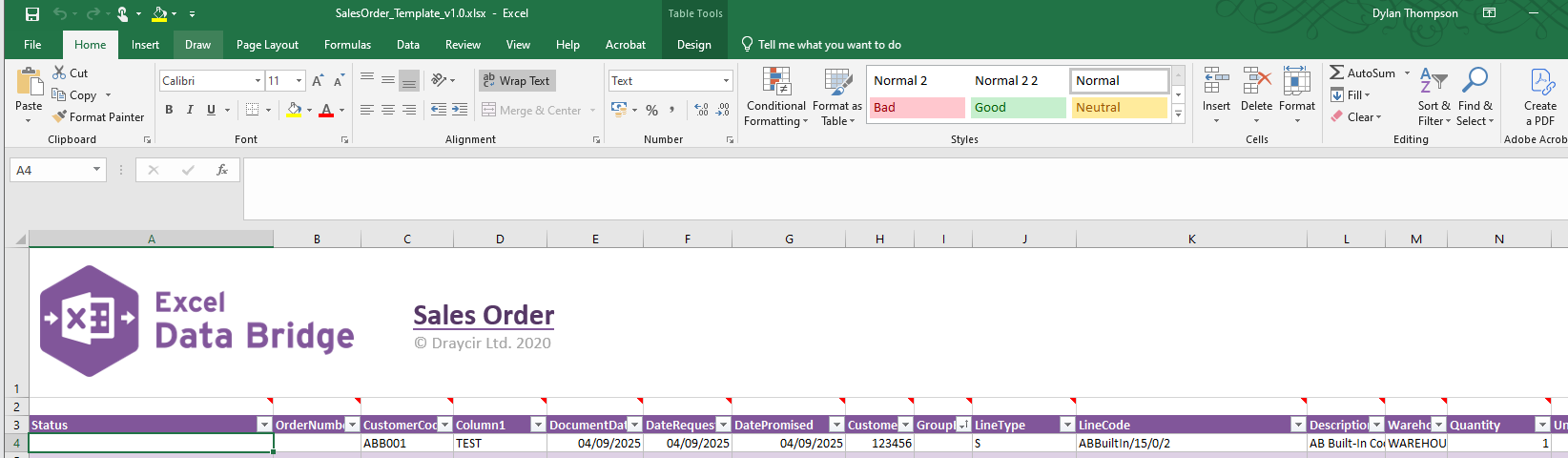
This Knowledge Base Article is to resolve the issue with the Excel Data Bridge Ribbon not showing in Excel even when the Excel Data Bridge Client installed on the machine.
Cause
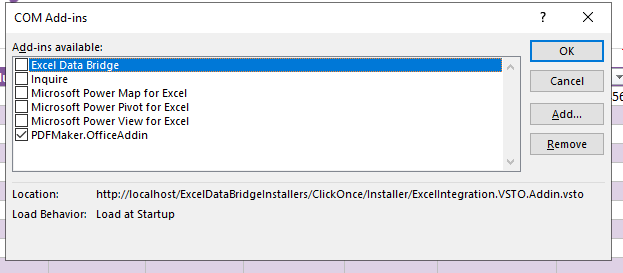
The likely issue is that the Add-in is not enabled on the client's Excel:
Resolution
To resolve this issue you will need to locate the COM Add-in, check the box and select OK.
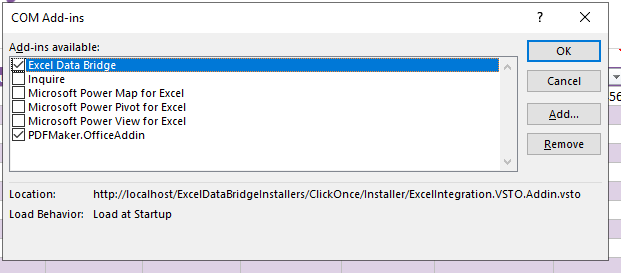
File > Options > Add-ins > Manage: COM Add-ins > Go..
Once this has been enabled, you may notice that the Sheet and Company are not populated (shown in screenshot below)
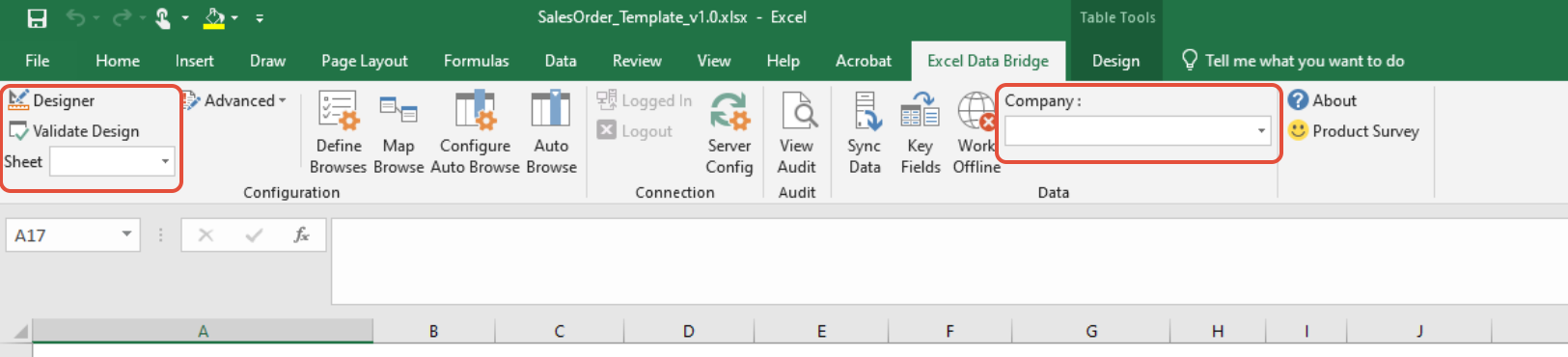
A quick restart of the Excel worksheet should fix this, you will notice them both populated with the appropriate Sheet and Company.
Knowledge Base Article Details
| Related Product | Excel Data Bridge |
| Reference Number | KBA-13-03-004 |
| Document Date | 26/02/2026 |
| Original Author | Dylan Thompson |
| Document Version | 1.0 |
| Last Updated | 26/02/2026 |
| Update Author | Dylan Thompson |
Was this article helpful?
That’s Great!
Thank you for your feedback
Sorry! We couldn't be helpful
Thank you for your feedback
Feedback sent
We appreciate your effort and will try to fix the article