Introduction
This article outlines how to confirm the version of Spindle Self Serve that is installed, and how to identify which form of authentication is currently being used for SMTP.
How to check what version is installed:
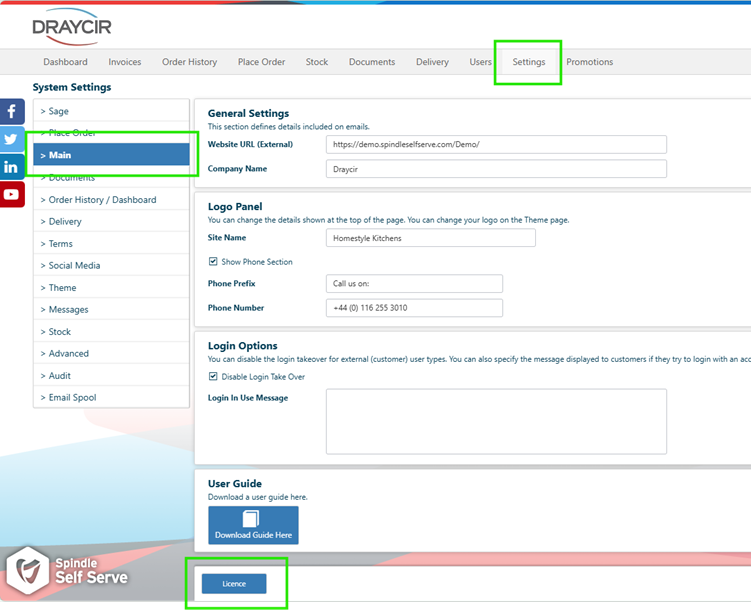
Log into Spindle Self Serve as an Administrator, go to Settings> Main> Licence:
Take a screenshot of the version number:
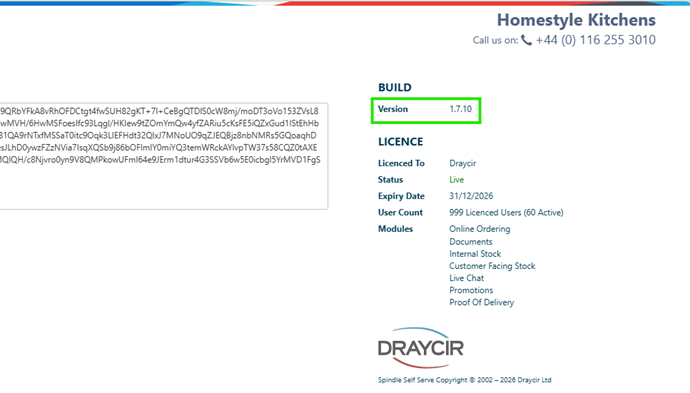
Version 1.7.8 and higher supports SMTP OAuth authentication for Outlook and Exchange
Alternatively, open Control Panel, go to Programs and Features, locate Spindle Self Serve, take a screenshot of the Version number:
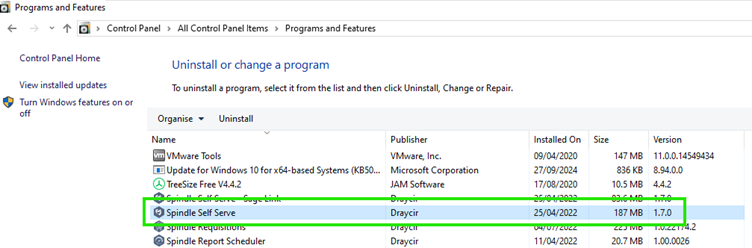
If the Self Serve Portal is on a version 1.7.7 or lower it is likely that SMTP basic authentication is in use.
Confirming the Authentication Method
To confirm the authentication method in use, open Spindle Self Serve and go to Settings> Advanced:
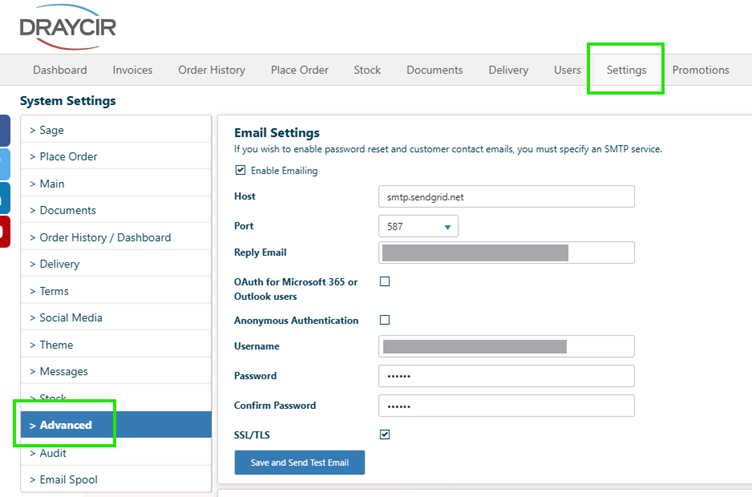
If the Email settings area looks like the above, then it is likely that SMTP basic authentication is in use. This will depend on domain used in the host field, domains such as the following use basic authentication:
- smtp.sendgrid.net
- smtp.office365.com
- smtp.gmail.com
If basic authentication is being used to send emails from Spindle Self Serve and if the version is 1.7.7 or below an upgrade is required to allow modern authentication to be used, this will also require a modern authentication account to be configured and applied.
KBA-09-01-003 -Spindle Self Serve Upgrade : Draycir Support
OAuth 2.0, modern authentication, Spindle Self Serve : Draycir Support
If basic authentication is being used to send emails from Spindle Self Serve and if the version is 1.7.8 or higher this will also require a modern authentication account to be configured and applied.
OAuth 2.0, modern authentication, Spindle Self Serve : Draycir Support
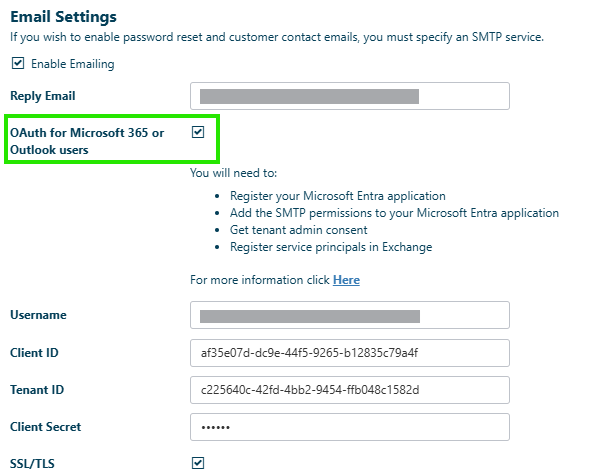
If the OAuth for Microsoft 365 or Outlook users tick box is ticked and all the fields in the email settings area are populated with the details of an Entra account then the customers Spindle Self Serve portal is configured in readiness for basic auth to be deprecated and no further action is needed.
Knowledge Base Article Details
| Related Product | Spindle Self Serve |
| Reference Number | KBA-09-02-05 |
| Document Date | 18-08-26 |
| Original Author | Matthew Perry |
| Document Version | 1.0 |
| Last Updated | |
| Update Author | |
| Keywords | Self Serve, SMTP, Basic Authentication, Modern Authentication |
Was this article helpful?
That’s Great!
Thank you for your feedback
Sorry! We couldn't be helpful
Thank you for your feedback
Feedback sent
We appreciate your effort and will try to fix the article