Introduction
Legacy authentication for SharePoint Online was blocked by default from 16 February 2026. Microsoft offers a one‑time temporary extension that keeps legacy authentication active only until 30 April 2026. After 1 May 2026, legacy authentication will be permanently disabled and cannot be re‑enabled.
Applies to
Spindle Document Distribution
Resolution
To apply the temporary extension as decribed in this Microsoft blog post - Legacy SharePoint Authentication (IDCRL) Is Retiring — What to Do Before May 1, 2026 | Microsoft Community Hub and keep legacy authentication functioning until 30 April 2026, set two tenant properties to TRUE:
Process
These steps must be carried out by the site's Entra administrator.
1) Open Powershell
2) Install the SharePoint module with this command (if not already present) with the following command:
Install-Module -Name Microsoft.Online.SharePoint.PowerShell
Connect to the SharePoint admin URL with this command
Connect-SPOService -Url https://<YOUR DOMAIN>-admin.sharepoint.com
You will be prompted to sign in with your admin credentials
You can establish the admin URL by going into the Microsoft 365 admin center
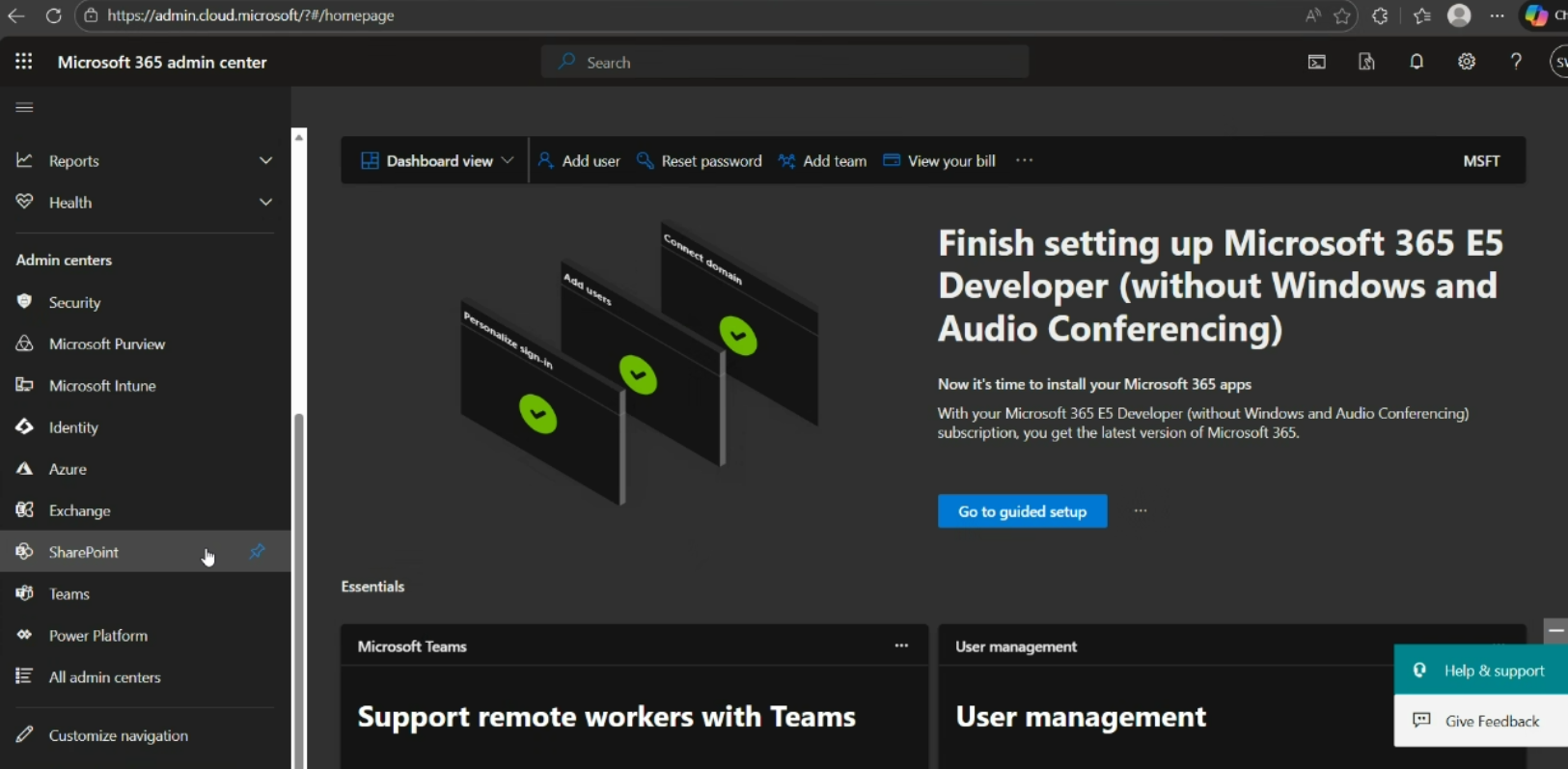
then click SharePoint in the left panel
When SharePoint Admin Center opens:
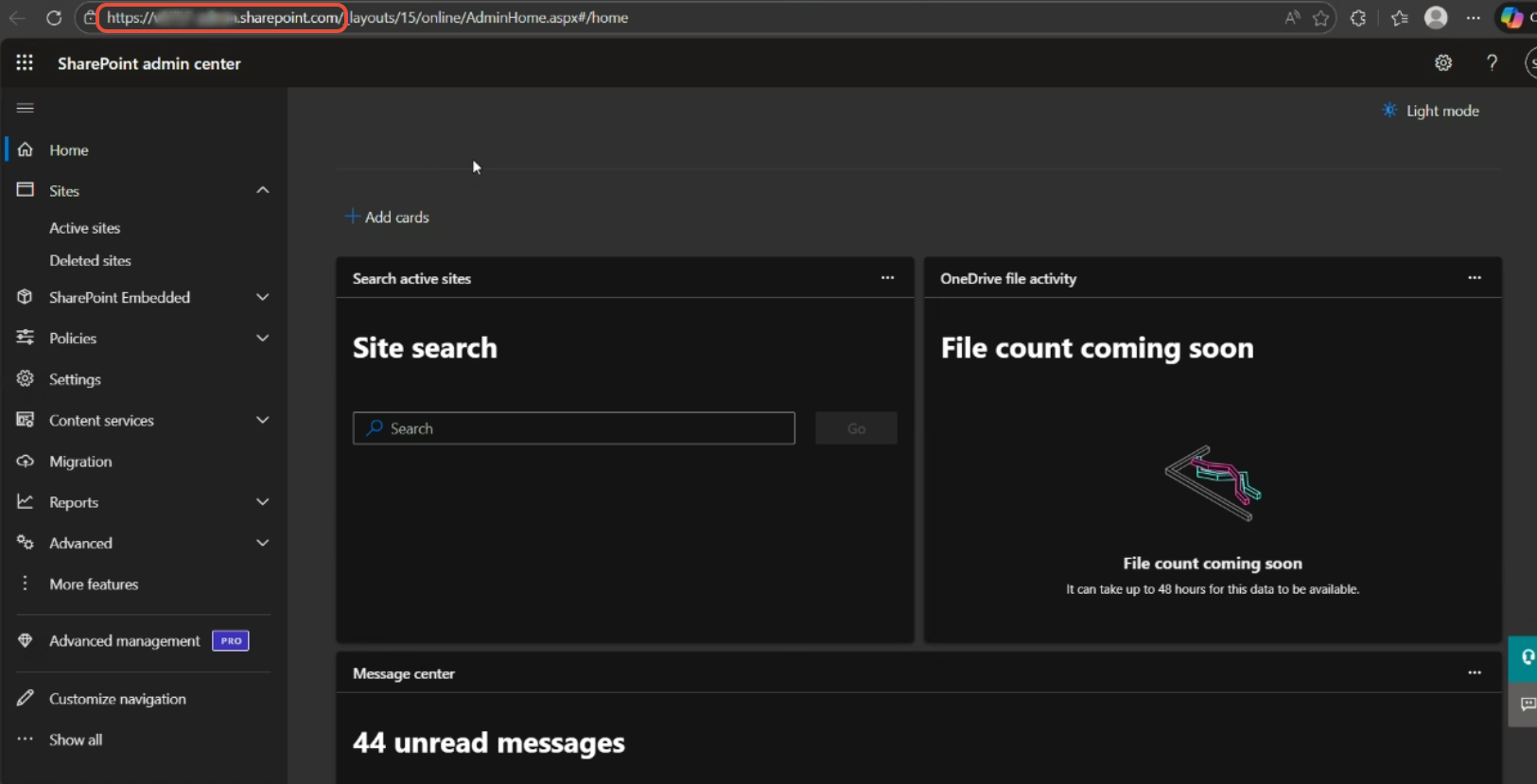
The URL is displayed in the address bar (up to ...sharepoint.com)
3) Use Get-SPOTenant to display the currently configured options
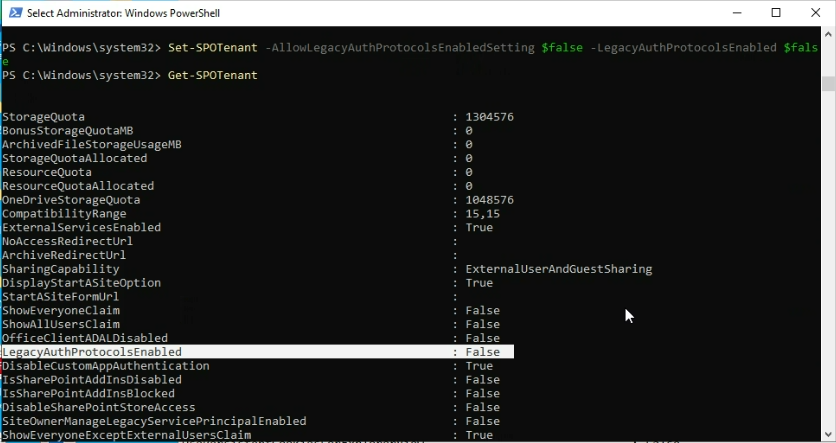
and
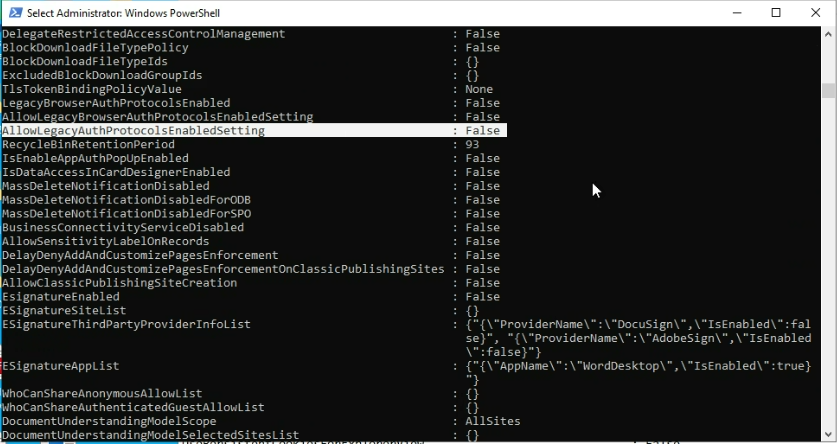
4) Set the two options to allow the override and to enable the override
PowerShell> Set-SPOTenant -AllowLegacyAuthProtocolsEnabled $true -LegacyAuthProtocolsEnabled $true
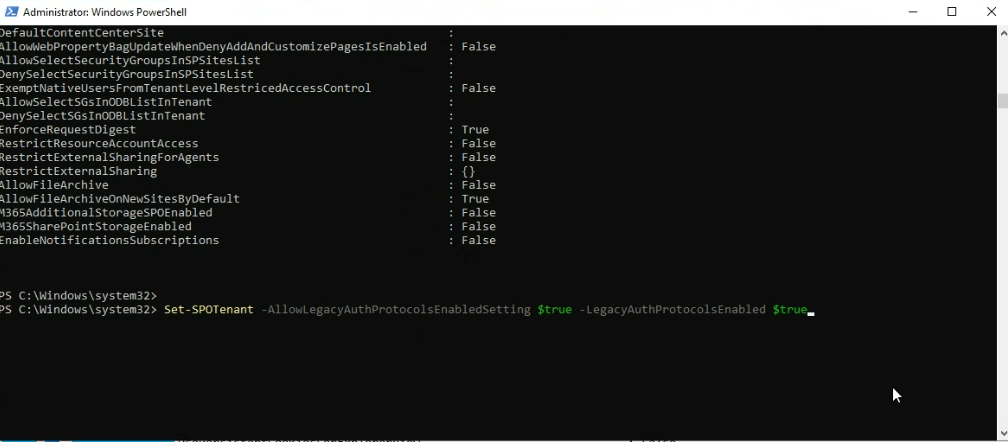
Then run Get-SPOTenant again to confirm the change
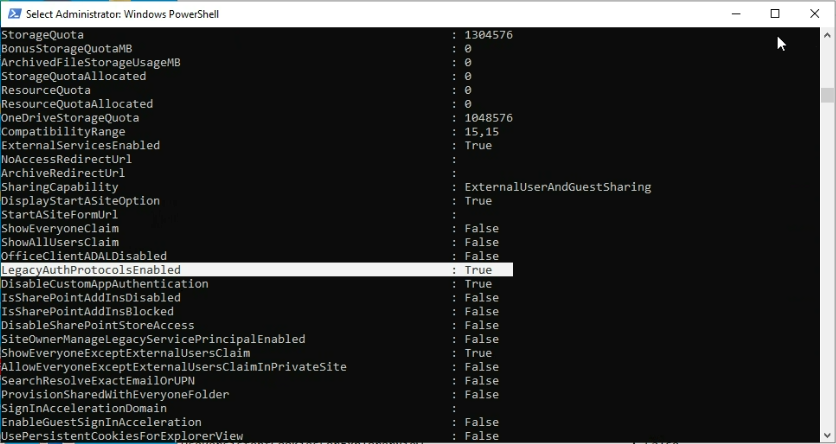
and
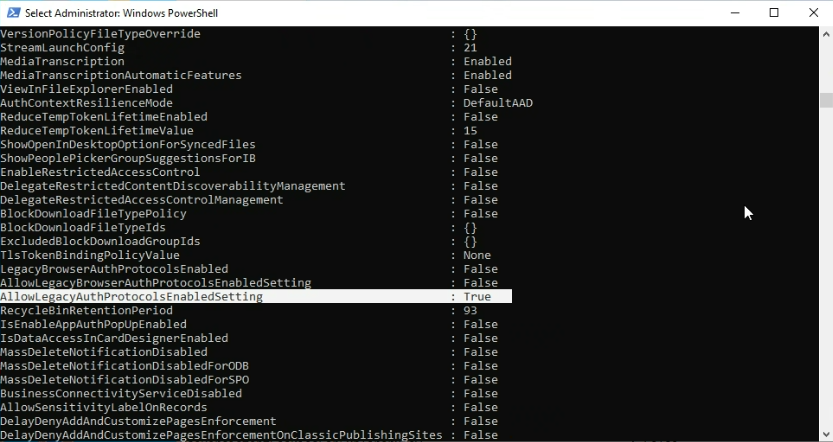
You should now be able to connect to SharePoint through Spindle Document Distribution Tools.
Another way to workaround the issue is to create a network drive to use temporarily until a long term solution is issued.
If AllowLegacyAuthProtocolsEnabled is not available, this implies that your Azure/Entra tenant is configured with the Security Defaults.
These defaults are a set of restrictions that are considered the baseline for security. Disabling Security Defaults requires that you then set the required restrictions individually. As a minimum ensure policies are in place
Enable MFA for all users
Enforce MFA for Admins
Notes
These settings must be applied before 30 April 2026. After this date, legacy authentication will no longer be supported, and services such as Spindle will be unable to use legacy authentication for SharePoint Online.
Draycir are actively developing a long‑term solution and will share a release date as we get closer to completion.
Knowledgbase Article Details
| Related Product | Spindle Document Distribution |
| Ref Number | KBA-01-02-062 |
| Document Date | 02/04/26 |
| Original Author | Daniel French |
| Document Version | v1.2 |
| Last updated | 09/04/26 |
| Update Author | Vince Hodgson |
Was this article helpful?
That’s Great!
Thank you for your feedback
Sorry! We couldn't be helpful
Thank you for your feedback
Feedback sent
We appreciate your effort and will try to fix the article