Introduction
This article provides a guide to creating an automated task that monitors and restarts the Spindle Document Recognition Post Agent service.
This service is critical for posting invoices from Web Verify into Sage200. Implementing this solution will prevent invoices from becoming stuck in a "Posting" state due to the service silently crashing, often caused by conflicts with third-party applications.
Configuration
1. Create the following Folder in the location below:
Location: C:\ProgramData\Draycir\Recognition\Post Agent
Folder Name: "Post Agent Task Scheduler"
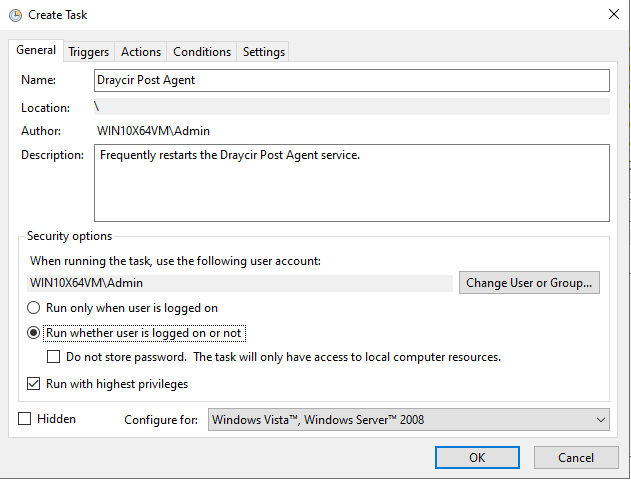
Set security options to "Run whether user is logged on or not"
Tick "Run with highest privileges"
Triggers Tab
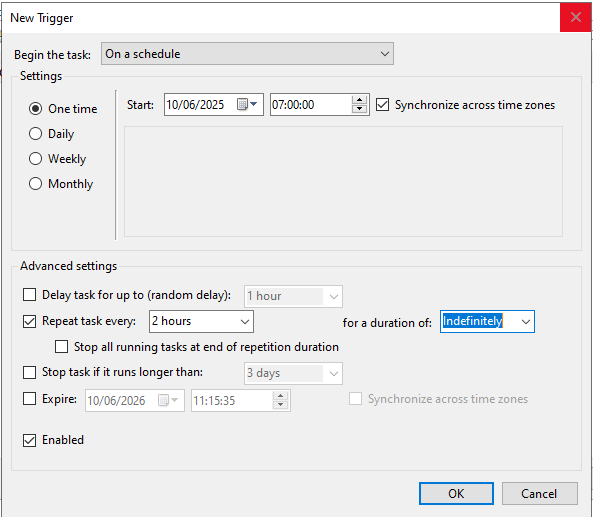
Select: One Time, Set the time to something similar to '07:00:00'
Tick "Synchronize across time zones"
Tick "Repeat task every:"
Set the time to "2 hours" and for a duration of: "Indefinitely"
Actions Tab
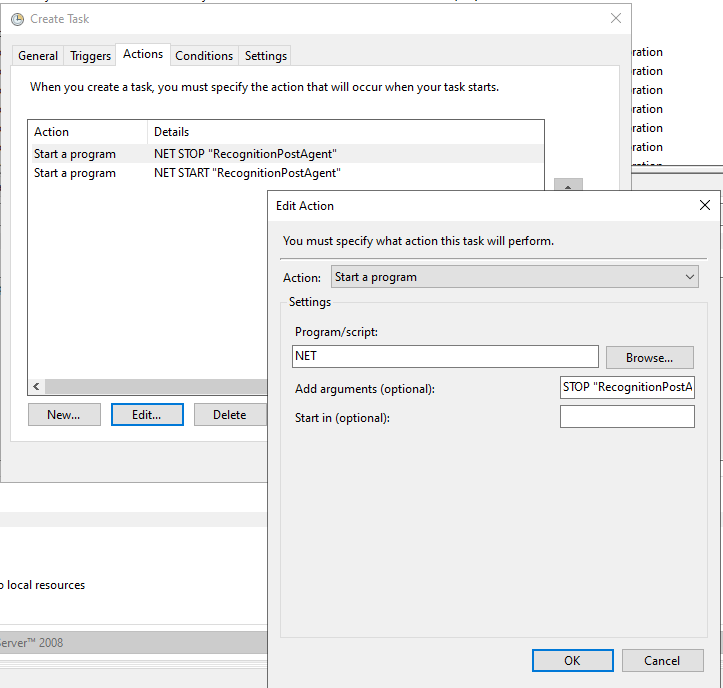
Action "Start a program"
First Action:
Program/script: NET
Add arguments STOP "RecognitionPostAgent"
Second Action:
Program/script: NET
Add arguments START "RecognitionPostAgent"
Conditions Tab
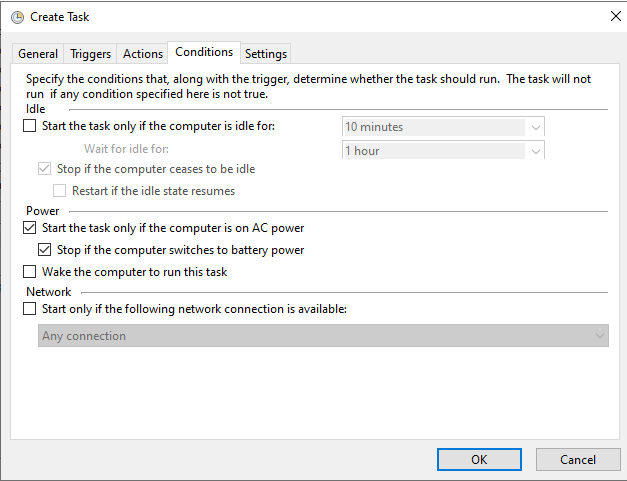
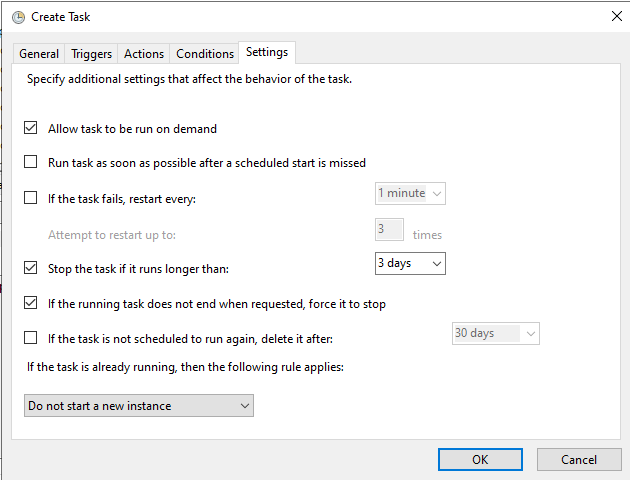
Settings Tab
Knowledge Base Article Details
| Related Product | Spindle Purchase Invoice Recognition |
| Reference Number | KBA 11-02-010 |
| Document Date | 04/02/2020 |
| Original Author | Dylan Thompson |
| Document Version | 1.0 |
| Last Updated | 10/06/2025 |
| Update Author | |
| Keywords |
Was this article helpful?
That’s Great!
Thank you for your feedback
Sorry! We couldn't be helpful
Thank you for your feedback
Feedback sent
We appreciate your effort and will try to fix the article